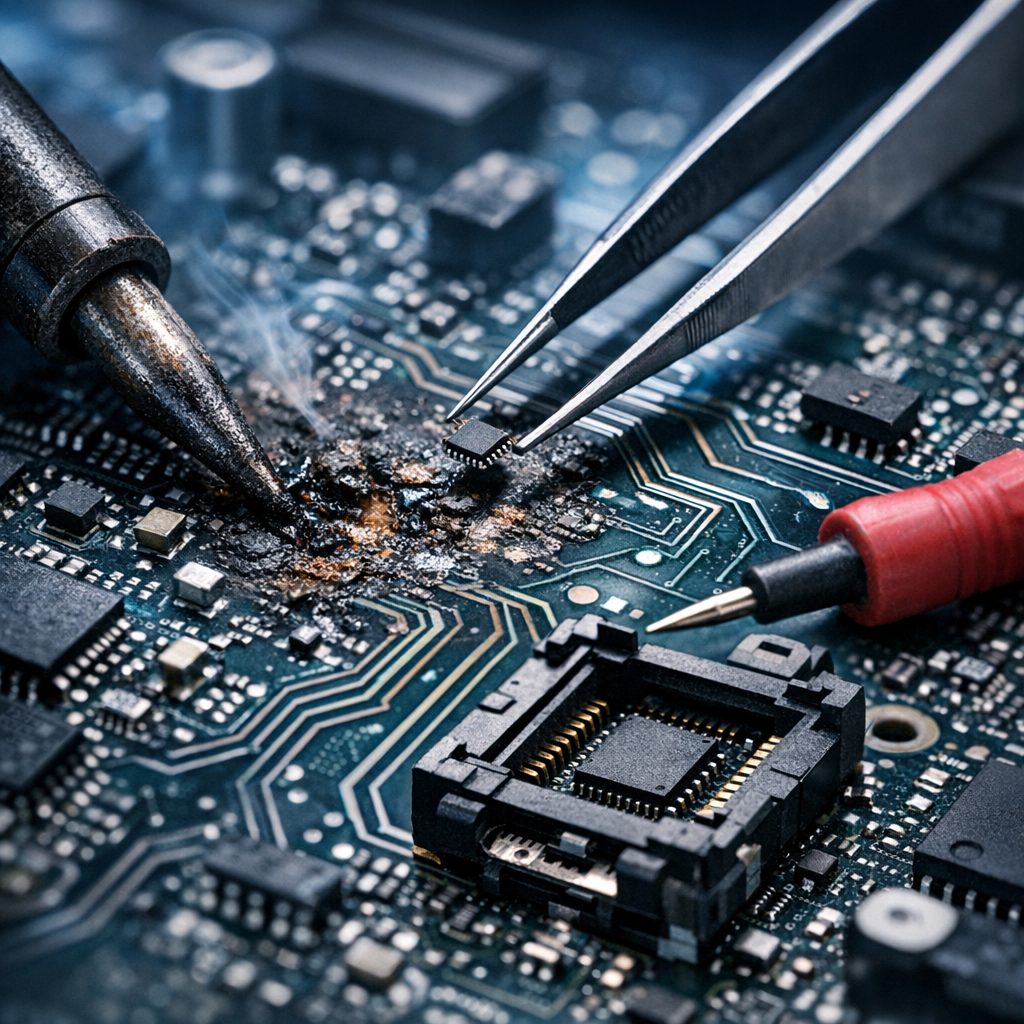
When a storage device will not power on, respond, or communicate with recovery equipment, motherboard repair may become the final path to access the data. This article explains when board-level repair is appropriate, what technicians look for, and why it should be treated as a controlled last resort rather than a quick fix.
Why Motherboard Repair Enters the Data Recovery Process
Data recovery is usually associated with logical repairs, damaged file systems, failed hard drives, or corrupted flash memory. However, many modern devices depend on a functioning motherboard or logic board before any recovery tool can communicate with the storage media. If that board is damaged, the data may remain physically present but inaccessible.
Motherboard repair is considered a last resort because it introduces risk. The goal is not to restore the device for everyday use. The goal is to temporarily regain enough electrical stability to image the storage device or extract the data through specialist methods.
Board-Level Faults
Short circuits, failed power rails, liquid damage, and damaged charging circuits can prevent storage access.
Data Still Present
The files may still exist on the NAND, SSD, or drive, even when the device itself appears completely dead.
Controlled Access
Repair is performed only far enough to stabilize the device and create a safe forensic image.
When Is Motherboard Repair Really a Last Resort?
Experienced recovery specialists normally try the least invasive options first. If the storage medium can be removed and read safely, board repair may not be necessary. If the data can be accessed through standard interfaces, software imaging, or a compatible donor environment, those routes are preferred.
Motherboard repair becomes relevant when the board itself blocks access. This can happen with laptops, smartphones, tablets, external drives, and embedded storage systems where encryption, controller pairing, or soldered components prevent simple transfer to another device. For phone-related cases, smartphone microsoldering can be part of the recovery path.
- The device is completely dead and draws no normal current.
- It powers on briefly, then shuts down or overheats.
- There is visible liquid damage, corrosion, or burned components.
- The drive or embedded storage is encrypted and depends on the original board.
- USB, SATA, NVMe, or charging interfaces are physically damaged.
- Previous repair attempts have left missing pads, damaged traces, or incorrect components.
The Diagnostic Process Before Any Repair
A professional diagnosis starts with observation, measurement, and documentation. Technicians check for obvious physical damage, then measure power rails, resistance to ground, current behavior, and communication lines. The purpose is to identify whether a repair attempt is justified and whether it can be performed without increasing the risk to the storage media.
For data recovery, the repair plan is narrower than a normal electronics repair. A technician may bypass a damaged circuit, replace a failed component, clean corrosion, rebuild a trace, or restore a connector only long enough to reach the data. Cosmetic issues and long-term reliability are secondary.
What technicians inspect
Power management ICs, fuses, capacitors, MOSFETs, USB-C ports, SSD controllers, NAND areas, clock lines, and communication paths.
What they document
Symptoms, voltage readings, thermal behavior, board condition, attempted repairs, and the safest route to create an image.
Why DIY Motherboard Repair Can Destroy Recoverable Data
Online tutorials can make board repair look straightforward, but data recovery work is unforgiving. Applying heat in the wrong area, replacing a component without identifying the underlying short, or repeatedly connecting power can damage storage chips, controllers, or encryption-related components. Once those parts are destroyed, the data may become unrecoverable.
Another risk is contamination. Liquid-damaged boards can continue corroding after the device appears dry. Powering a contaminated board may create new shorts. Cleaning without proper equipment can also push residue under chips, making later professional work more difficult.
Avoid these actions if data matters
- Do not keep pressing the power button to “see if it comes back.”
- Do not heat the motherboard with a household tool.
- Do not swap random components from donor boards.
- Do not connect unstable power supplies or unknown chargers.
- Do not attempt software recovery if the hardware is electrically unstable.
Repair for Recovery vs. Repair for Reuse
There is a major difference between repairing a device for daily use and repairing it for data recovery. A device repaired for reuse must be stable, safe, and reliable over time. A device repaired for recovery only needs to remain stable long enough to extract data in a controlled environment.
This distinction changes priorities. A technician may recommend replacing the device after recovery even if the board can be temporarily revived. Continuing to use a previously damaged board can lead to sudden failure, data corruption, or recurring electrical faults.
| Goal | Repair for Data Recovery | Repair for Daily Use |
|---|---|---|
| Primary objective | Access and image the data | Restore full device function |
| Risk tolerance | Very low; data comes first | Moderate, depending on repair scope |
| Success measure | Recovered files and verified image | Long-term operational stability |
| Recommended outcome | Move data to a healthy device | Continue using repaired hardware if reliable |
How Professionals Minimize Risk
Professional recovery labs use controlled power supplies, microscopes, thermal cameras, board schematics, donor components, and imaging equipment. They also work from a principle of preservation: stabilize first, image second, analyze copies later. If you need local guidance, professional data recovery support can help determine the safest next step.
Once temporary access is achieved, the next step is usually a sector-by-sector image or specialized extraction. Recovery work should happen from that image whenever possible. The original device should not be used as a normal working drive after a board-level incident.
Current limiting
Thermal checks
Safe imaging
File validation
What to Do If You Suspect Motherboard Failure
If the device contains important files, the safest response is to stop using it and document what happened. Note whether there was a drop, liquid exposure, power surge, charging issue, overheating, or failed repair attempt. Dedicated motherboard data recovery services focus on protecting the information before any full device repair is considered.
Recommended next steps
- Disconnect power immediately.
- Do not attempt repeated restarts.
- Keep the device dry, safe, and undisturbed.
- Write down the symptoms and recent events.
- Consult a data recovery specialist before authorizing standard repair.
Conclusion: A Strategic Move, Not a Gamble
Motherboard repair can be a powerful last resort for data recovery, especially when the storage is soldered, encrypted, or dependent on the original electronics. But it should never be treated as a casual repair attempt. The safest approach is careful diagnosis, minimal intervention, controlled power, and rapid imaging once access is restored.
When the data matters more than the device, every decision should protect the files first. In many cases, that means repairing the motherboard only enough to recover the data—and then retiring the damaged hardware.
